0 ratings





Item #:
84627473
WD 2TB My Passport Portable Hard Drive, Works with USB-C and USB-A, Windows PC, Mac, Chromebook, Gaming Consoles, and Mobile Devices, Backup Software
90% of respondents would recommend this to a friend
Item #:
84627473
AUD 343
Price Details
Excluding Shipping & Custom charges ( Shipping and custom charges will be calculated on checkout )
*All items will import from US
In stock
 Imported from USA store
QTY:
Only 3 items left in stock.
Order now and get it around Wednesday, September 09
Secured transaction
Ubuy works hard to protect your security and privacy. Our advanced payment security system ensures confidentiality by encrypting your information during transmission using AES (Advanced Encryption Standards) and SSL (Secure Socket Layer) protocols. Your payment details are 100% secure as we do not share your payment details with third party sellers.
Our Top Logistics Partners


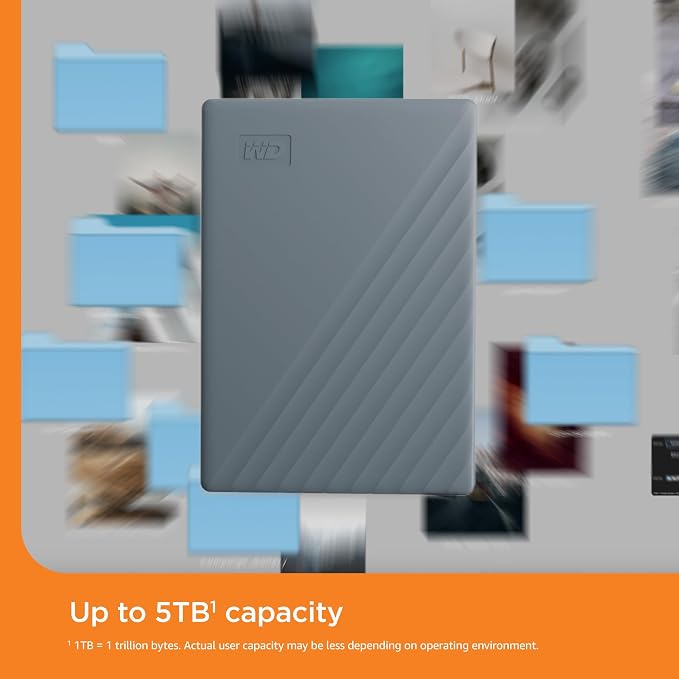
Up to 6TB of space to keep your important files, creative projects, school assignments, family photos and videos, and favorite games in one place.

Fast
Shipping

Free
Return*

Secure Packaging

100% Original Products

PCI DSS Compliance

ISO 27001 Certified



Note: Step Down Voltage Transformer required for using electronics products of US store (110-120). Recommended power converters Buy Now.


What Stands Out
Versatile Compatibility
Works seamlessly with multiple devices including Windows PC, Mac, Chromebook, gaming consoles, and mobile devices, making it an ideal choice for varied user needs.
High Security
Includes password protection, ensuring your data remains secure and accessible only to you, offering peace of mind amidst increasing data privacy concerns.
User-Friendly Backup
Bundled backup software simplifies data management, allowing users to easily protect and store important files without the hassle of manual backups.
Product Details
| Digital Storage Capacity | 2 TB |
| Hard Disk Interface | USB 3.0 |
| Connectivity Technology | USB |
| Additional Features | Works with USB-C |
| Hard Disk Form Factor | 2.5 inches (6.4 cm) |
| Compatible Devices | Desktop, Gaming Console, Laptop, Smartphone, Tablet |
| Hard Disk Rotational Speed | 1 |
| Specific Uses For Product | Gaming, Multimedia, Personal |
| Read Speed | 5 gigabytes_per_second |
| Media Speed | 1 megabit per second |
| Cache Memory Installed Size | 2 TB |
| Data Transfer Rate | 1 megabits_per_second |
| Form Factor | 2.5-inch (6.4 cm) |
| Hardware Connectivity | USB Type C |
| Hardware Platform | WD |
| Installation Type | External Hard Drive |
| Color | Grey |
| Enclosure Material | Aluminum, Glass, Or Ceramic |
| Brand | Western Digital |
| Model Number | WDBWML0020BGY-WESN |
| Hard Disk Description | Mechanical Hard Disk |
| Built-In Media | Portable hard drive, USB-A cable, USB-A to USB-C adapter, Quick Install guide |
| Model Name | My Passport Portable Hard Drive, Works with USB-C |
| Manufacturer | Western Digital Technologies, Inc. |
| UPC | 718037902944 |
| Mfr Part Number | WDBWML0020BGY-WESN |
| Hard-Drive Size | 2 TB |
| Item Weight | 4.96 ounces (140.62 grams) |
| Item Dimensions L x W x Thickness | 4.22"L x 2.95"W x 0.53"Th (10.7 x 7.5 x 1.3 cm) |
| Number of Items | 1 |
| Unit Count | 1 Count |
| Customer Package Type | FFP |
| Special Feature | Works with USB-C |
What's in the box
Portable hard drive, USB-A cable, USB-A to USB-C adapter, Quick Install guide
Who Should Buy?

-
Traveling Professionals
Ideal for professionals needing portable storage to easily back up and access data on the go.
-
Gamers
Great for gamers looking to expand storage for their consoles and mobile devices while ensuring quick access.
-
Students
Perfect for students wanting a reliable and portable solution for storing projects, notes, and personal data.

-
Heavy Media Users
Not the best option for users needing extensive high-speed storage for video editing or large files transfer.
Product Description
Have any Query? Chat with us
Customer Questions & Answers
-
Question:
What devices are compatible with the WD 2TB My Passport Portable Hard Drive?
Answer: The WD 2TB My Passport Portable Hard Drive is compatible with a wide range of devices, including Windows PCs, Macs, Chromebooks, gaming consoles like PlayStation and Xbox, and mobile devices that support USB-C or USB-A. This versatility makes it an ideal choice for users who need a reliable storage solution across different platforms, whether for storing games, documents, or multimedia files. The universal compatibility means you can easily back up and transfer files across multiple devices without hassle. -
Question:
Can I use the WD My Passport Drive for gaming?
Answer: Yes, the WD My Passport Portable Hard Drive is an excellent choice for gaming. It is designed to work seamlessly with gaming consoles such as PlayStation and Xbox, providing ample storage for your favorite games, downloadable content, and updates. With its high-speed USB-C and USB-A interfaces, you can enjoy fast loading times and smooth gameplay. Additionally, it allows gamers to easily transfer their game libraries between consoles or back up their saved data for safekeeping. -
Question:
Is backup software included with the WD My Passport Portable Hard Drive?
Answer: Yes, the WD My Passport Portable Hard Drive comes pre-loaded with WD Backup software, which allows you to schedule automatic backups of your important files and documents. This feature simplifies the backup process, ensuring that your data is consistently protected without requiring constant manual intervention. Users can tailor their backup preferences according to their needs, making it an effective tool for safeguarding critical information across various devices. -
Question:
How do I format the WD My Passport for a Mac?
Answer: To format the WD My Passport Portable Hard Drive for Mac, connect the drive to your Mac, then open 'Disk Utility.' Select the drive from the sidebar and choose 'Erase.' Specify the format as 'Mac OS Extended (Journaled)' or 'APFS' for optimal compatibility with macOS. This process ensures that the drive works seamlessly with your Mac system for file transfers and backups, allowing you to utilize the full potential of your storage space. -
Question:
What is the difference between USB-C and USB-A on the WD My Passport?
Answer: USB-C is a newer, versatile connection type that supports faster data transfer speeds and can be plugged in either way, making it more user-friendly. USB-A is the traditional connector found on older devices like many PCs and laptops. The WD My Passport Portable Hard Drive's dual support for both USB-C and USB-A ensures that you can connect it to a wider array of devices. This flexibility allows users to switch between devices without the need for additional adapters. -
Question:
Can I use the WD My Passport Portable Hard Drive with my Chromebook?
Answer: Absolutely! The WD My Passport Portable Hard Drive is fully compatible with Chromebooks. Simply connect the drive via USB-C or USB-A, and you can start using it to store files, media, and backups. Chromebooks recognize external drives for easy drag-and-drop functionality, allowing you to manage your data effortlessly. This makes it perfect for students or professionals needing extra storage on-the-go. -
Question:
How much data can the 2TB capacity of the WD My Passport really hold?
Answer: The 2TB capacity of the WD My Passport Portable Hard Drive can hold a vast amount of data, including approximately 500,000 photos, 200,000 songs, or 1000 hours of videos. This substantial storage capacity is suitable for both personal and professional needs, from photo and video projects to extensive game libraries and document archiving. Users can confidently store their digital lives without worrying about running out of space. -
Question:
How secure is my data on the WD My Passport Portable Hard Drive?
Answer: The WD My Passport Portable Hard Drive includes 256-bit AES hardware encryption, which provides an added layer of security for your sensitive files. With this feature, you can set a password that must be entered before accessing the data on the drive, ensuring that your information remains safe from unauthorized access. This is especially important for users who store confidential documents or personal files, adding peace of mind. -
Question:
What is the best way to organize files on the WD My Passport?
Answer: To effectively organize files on the WD My Passport Portable Hard Drive, consider creating folders based on categories such as documents, photos, videos, and backups. Use a consistent naming convention for easy retrieval and create subfolders for more specific organization. This structured approach allows you to quickly locate files when needed, whether you're accessing multimedia for a project or retrieving important documents for work. -
Question:
Where can I buy the WD 2TB My Passport Portable Hard Drive?
Answer: You can conveniently purchase the WD 2TB My Passport Portable Hard Drive at Ubuy. Ubuy offers a user-friendly platform with detailed product information to assist you in making an informed choice. With a range of options to suit your preference, Ubuy is an excellent destination for acquiring this versatile storage solution within Nauru.
Western Digital External Hard Drives WDBWML0020BGY-WESN Editorial Review


The WD 2TB My Passport Portable Hard Drive has received mixed reviews from customers. Many users have found it to be a convenient option for providing additional storage for their devices, such as iPhone, iPad or laptop. The portability and storage capacity of the drive have been highlighted positively, with some users expressing satisfaction with its performance over years of usage. However, there are complaints about the setup process being difficult and confusing, with some users finding the installation instructions not intuitive. Despite the mixed reviews, the general Consensus is that the WD My Passport Portable Hard Drive offers good value for its price and provides reliable performance. Some users have expressed disappointment that the WD software for backups is not user-friendly and that a third-party software needs to be used instead. However, the drive itself has been praised for its speed, capacity, and ease of use, making it a recommended option for portable backup needs.
Customer Reviews & Ratings
424 customers ratings
-
5 Star
76%
-
4 Star
10%
-
3 Star
4%
-
2 Star
2%
-
1 Star
8%
Review this product
Share your thoughts with other customers
Pros
- Convenient for providing additional storage for devices
- Portability and storage capacity
- Good value for the price
- Reliable performance over time
- Speed and ease of use
Cons
- Difficult and confusing setup process
Platform Trust & Buyer Confidence

MA
Mohammad
Verified buyer
“Excellent quality and original too,when ubuy send original things I will appreciate that ,I very satisfied thank you”
23 July 2026 · via Trustpilot
CK
Chitra
Verified buyer
“The order and delivery progress was communicated very well. Package arrived within the estimated time. Products arrived as expected in good condition.”
22-Jul-26 · via Trustpilot
K
kund
Verified buyer
“Good supply of products. Safe payment methods, and shipment worldwide! Genuine products.”
23-Jul-26 · via Trustpilot
OO
Onesi
Verified buyer
“Was my first time buying a product from Ubuy, but I found it so helpful. This is reliable. Gonna place a new order!”
22 July 2026 · via Trustpilot
SJ
SAO JOHN
Verified buyer
“Ubuy is a great online platform to buy stuff. Reliable, fast delivery time and great value for money. I've been using Ubuy online shopping platform for three years now and will continue to do so.”
23 July 2026 · via Trustpilot
Secure Checkout
Global Delivery
Easy Returns
Genuine Products
Product Price History
Important information
- Limitations : For products shipped internationally, please note that any manufacturer warranty may not be valid; manufacturer service options may not be available; product manuals, instructions, and safety warnings may not be in destination country languages; the products (and accompanying materials) may not be designed in accordance with destination country standards, specifications, and labeling requirements; and the products may not conform to destination country voltage and other electrical standards (requiring use of an adapter or converter if appropriate). The recipient is responsible for assuring that the product can be lawfully imported to the destination country. When ordering from Ubuy or its affiliates, the recipient is the importer of record and must comply with all laws and regulations of the destination country.
- Not all the products listed on Ubuy are for sale, as Ubuy is a global search engine. Products are subject to export/trade regulations.
AUD 343
Order now and get it around Wednesday, September 09
This item is not restrict in my country.(Please click on above link if this item is not restrict in your country, So our team will review and allow.)
QTY:
Only 3 items left in stock.
Secured transaction
PCI DSS compliant and ISO 27001:2022 certified, with encrypted payments and full buyer protection on every order.
Our Top Logistics Partners
Fastest cross-border delivery
Features & Benefits
- Seamless compatibility across various devices with USB-C connection
- High capacity of up to 6TB for storage of diverse files
- Backup software and password protection for file safety
- Environmentally friendly design with recycled materials
- Universally compatible with computers and mobile devices
- Hassle-free connectivity with USB-C or USB-A devices
Ubuy Assurance
Experience worry-free shopping with 100% original products, PCI DSS-compliant payment security, ISO 27001-certified data protection, the fastest cross-border delivery, free returns *, and secure packaging on every order.