- Home Page /
- Books /
- Reference /
- Writing, Research & Publishing Guides /
- Writing /
- Editing /
- Adobe Acrobat DC Pro 2026 Guide for Beginners...


Item #:
210561622
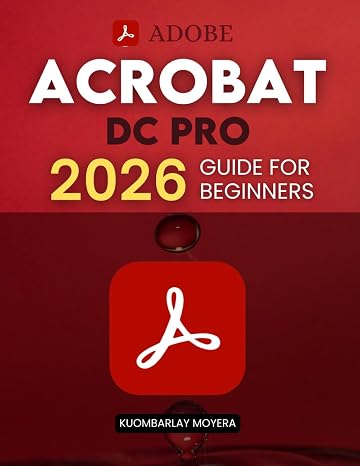
Adobe Acrobat DC Pro 2026 Guide for Beginners: A Step By Step Practical Guide To Editing Securing Automating And Enhancing PDF Documents For Modern
78% of respondents would recommend this to a friend
Item #:
210561622
AUD 49
Price Details
Excluding Shipping & Custom charges ( Shipping and custom charges will be calculated on checkout )
*All items will import from US
0 ratings
Write a review
In stock
 Imported from USA store
QTY:
Order now and get it around Thursday, September 17
Secured transaction
Ubuy works hard to protect your security and privacy. Our advanced payment security system ensures confidentiality by encrypting your information during transmission using AES (Advanced Encryption Standards) and SSL (Secure Socket Layer) protocols. Your payment details are 100% secure as we do not share your payment details with third party sellers.
Our Top Logistics Partners


Readers will discover how to efficiently navigate and manage documents, perform accurate edits, and maintain professional formatting without frustration.

Fast
Shipping

Free
Return*

Secure Packaging

100% Original Products

PCI DSS Compliance

ISO 27001 Certified



Note: Step Down Voltage Transformer required for using electronics products of US store (110-120). Recommended power converters Buy Now.


What Stands Out
Comprehensive Editing Tools
Offers an extensive suite of editing features, allowing users to modify text, images, and layouts in PDF documents seamlessly for professional-quality results.
Enhanced Security Options
Includes robust security features to encrypt and protect sensitive documents, ensuring only authorized users can access critical information.
User-Friendly Automation
Streamlines workflows with automation tools that simplify repetitive tasks, enhancing efficiency and saving time for busy professionals.
Product Details
| Publisher | Independently published |
| Publication date | January 15, 2026 |
| Language | English |
| Print length | 298 pages |
| ISBN-13 | 979-8244047240 |
| Item Weight | 1.89 pounds (860 grams) |
| Dimensions | 8.5 x 0.68 x 11 inches (21.6 x 1.7 x 27.9 cm) |
Who Should Buy?

-
New Users
Beginners looking to learn about PDF editing and management can benefit from step-by-step guidance.
-
Professionals
Professionals needing to enhance, secure, and automate their PDF workflows will find this guide immensely useful.
-
Educators
Teachers and educators who require clear instructions for managing PDF materials will appreciate the practical approach.

-
Experienced Users
Advanced users may find the content too basic and not challenging enough for their PDF needs.
Product Description
Adobe Acrobat DC Pro 2026 Guide for Beginners: A Step By Step Practical Guide To Editing Securing Automating And Enhancing PDF Documents For Modern Workflows And Everyday Professional Use
Have any Query? Chat with us
Customer Questions & Answers
-
Question:
What is Adobe Acrobat DC Pro 2026 used for?
Answer: Adobe Acrobat DC Pro 2026 is designed for comprehensive PDF management. It enables users to create, edit, secure, and automate PDF documents effectively. This facilitates modern workflows, allowing professionals to enhance their productivity. For instance, users can easily combine multiple documents into one PDF, annotate as needed, and apply security settings to protect sensitive information. This versatility makes it an essential tool for anyone looking to streamline document handling in their everyday professional tasks. -
Question:
How does the Adobe Acrobat DC Pro 2026 Guide help beginners?
Answer: The guide is tailored for beginners, providing step-by-step instructions that simplify the learning curve of using Adobe Acrobat DC Pro 2026. Each chapter breaks down complex functions like editing text, adding images, and enhancing PDFs into manageable tasks. For example, a beginner can learn how to convert a Word document into a PDF effortlessly, ensuring they harness the full potential of the software without feeling overwhelmed. -
Question:
Can I secure PDF files with Adobe Acrobat DC Pro 2026?
Answer: Yes, Adobe Acrobat DC Pro 2026 features robust security options to protect your PDF files. Users can apply passwords, restrict editing, and add watermarks to safeguard sensitive documents. These security measures are vital in professional settings where confidentiality is critical, such as in legal or financial documents, ensuring that only authorized individuals can access and modify the content. -
Question:
What are some practical applications for Adobe Acrobat DC Pro 2026 in the workplace?
Answer: In the workplace, Adobe Acrobat DC Pro 2026 can be used for various tasks, such as creating reports, resumes, and presentations. Furthermore, it allows for seamless collaboration by enabling users to comment on and review documents with colleagues. For instance, teams can share marketing proposals securely while ensuring that feedback is easily integrated, enhancing the overall efficiency of project workflows. -
Question:
Can I automate tasks in Adobe Acrobat DC Pro 2026?
Answer: Absolutely! The automation features in Adobe Acrobat DC Pro 2026 allow users to streamline repetitive tasks. You can create actions that apply specific commands to multiple files at once—such as batch converting or watermarking documents. This is particularly beneficial for professionals who handle large volumes of documents, saving time and reducing errors in the process. -
Question:
What makes Adobe Acrobat DC Pro 2026 different from other PDF editors?
Answer: Adobe Acrobat DC Pro 2026 stands out due to its comprehensive features that cover every aspect of PDF management, including advanced editing, protection, and cloud integration. Many competitors lack the same level of functionality. For example, while some free alternatives may allow basic editing, they often do not provide advanced features like form creation or automated workflows, which are necessary for professional-level tasks. -
Question:
Is it easy to edit scanned documents with Adobe Acrobat DC Pro 2026?
Answer: Yes, Adobe Acrobat DC Pro 2026 includes Optical Character Recognition (OCR) technology, which allows you to edit scanned documents with ease. The OCR feature recognizes text within scanned images and converts it into editable text, enabling users to modify documents without starting from scratch. This is useful for professionals dealing with printed contracts or reports who need digital versions without retyping everything. -
Question:
What types of files can I convert into PDFs using Adobe Acrobat DC Pro 2026?
Answer: You can convert a wide variety of file types into PDFs using Adobe Acrobat DC Pro 2026, including Word documents, Excel spreadsheets, PowerPoint presentations, images, and more. This versatility allows for seamless integration of different file formats into the PDF workflow, making it an ideal tool for creating professional-looking documents from various sources in a consistent format. -
Question:
Can I enhance PDFs with graphics and multimedia using Adobe Acrobat DC Pro 2026?
Answer: Yes, Adobe Acrobat DC Pro 2026 allows users to enhance PDFs by adding graphics, images, and multimedia elements such as videos and audio clips. This capability is essential for creating interactive presentations or detailed reports that capture audience attention. For example, marketing materials can be enriched with embedded videos to convey messages more effectively. -
Question:
Where can I buy Adobe Acrobat DC Pro 2026 Guide for Beginners in Nauru?
Answer: You can purchase the Adobe Acrobat DC Pro 2026 Guide for Beginners from Ubuy. Ubuy offers a convenient platform to find the guide, ensuring you get access to this comprehensive resource for mastering PDF management. The site provides various shipping options and a user-friendly interface, making your shopping experience smooth and efficient.
Editing Editorial Review
No editorial reviews found
Customer Reviews & Ratings
1 customers ratings
-
5 Star
100%
-
4 Star
0%
-
3 Star
0%
-
2 Star
0%
-
1 Star
0%
Review this product
Share your thoughts with other customers
Pros
- Easy to follow instructions
- Comprehensive topic coverage
- Great for beginners
- Practical examples included
- Enhances PDF editing skills
Cons
- Some topics may feel basic for advanced users.
Platform Trust & Buyer Confidence

JG
Jazz
Verified buyer
“Easy to use and always helpful and sorts any issues I've had past and present”
1 September 2026 · via Trustpilot
EK
Emmanuel
Verified buyer
“I always receive support when I engage customer service. Overall my experience with UBUY has been top notch. Keep up the good work.”
31 August 2026 · via Trustpilot
F
fnd
Verified buyer
“The delivery was fast and the product came undamaged and authentic.”
29 August 2026 · via Trustpilot
LC
Leana
Verified buyer
“Ubuy is extremely efficient and to order online is an easy process. The verity of products to buy is really unlimited! My order was urgent and I got it on time. The products are great! Thank you Ubuy!”
25 August 2026 · via Trustpilot
HL
Hengo
Verified buyer
“Fast, convenient and cheap. Great store!”
27 August 2026 · via Trustpilot
Secure Checkout
Global Delivery
Easy Returns
Genuine Products
Product Price History
Important information
- Limitations : For products shipped internationally, please note that any manufacturer warranty may not be valid; manufacturer service options may not be available; product manuals, instructions, and safety warnings may not be in destination country languages; the products (and accompanying materials) may not be designed in accordance with destination country standards, specifications, and labeling requirements; and the products may not conform to destination country voltage and other electrical standards (requiring use of an adapter or converter if appropriate). The recipient is responsible for assuring that the product can be lawfully imported to the destination country. When ordering from Ubuy or its affiliates, the recipient is the importer of record and must comply with all laws and regulations of the destination country.
- Not all the products listed on Ubuy are for sale, as Ubuy is a global search engine. Products are subject to export/trade regulations.
AUD 49
Order now and get it around Thursday, September 17
This item is not restrict in my country.(Please click on above link if this item is not restrict in your country, So our team will review and allow.)
QTY:
Secured transaction
PCI DSS compliant and ISO 27001:2022 certified, with encrypted payments and full buyer protection on every order.
Our Top Logistics Partners
Fastest cross-border delivery
Features & Benefits
- Step-by-step guidance for beginners in Adobe Acrobat DC Pro 2026.
- Focus on practical applications for editing, securing, and automating PDF documents.
- Emphasis on clarity and usability for improved document collaboration.
- Learn to protect sensitive information and manage access securely.
- Introduction to intelligent and automated tools for modern workflows.
- Build confidence in handling complex digital documents and troubleshooting issues.
Ubuy Assurance
Experience worry-free shopping with 100% original products, PCI DSS-compliant payment security, ISO 27001-certified data protection, the fastest cross-border delivery, free returns *, and secure packaging on every order.